DesigningforImpact
What happens when
the system calls in sick?
At the IMPACT Center, the answer was simple: everything stops. One person. One memory. Hundreds of families.
We had to change that.
MY ROLE
Lead Product Designer
TEAM
4 Designers
DOMAIN
Social Impact / Civic Tech
METHODS
Contextual Inquiry, Co-Design, Usability Testing
THE PROBLEM SPACE
Structure without complexity
Post-pandemic food need in Marion County surged from 20% to 31% of residents. Over 400 families visit the IMPACT Center every month.
The demand was growing. The operations hadn't changed in years.
30%
of Marion County residents need food assistance
40%
of food-insecure residents are still missing meals
01 CONTEXT
They came to fix delivery.
The real problem was inside.
During the pandemic, the Toyota Mobility Foundation set out to solve food distribution through autonomous delivery. The logic made sense on paper; get food moving faster, reduce bottlenecks on the road.
Then someone went inside a food pantry.
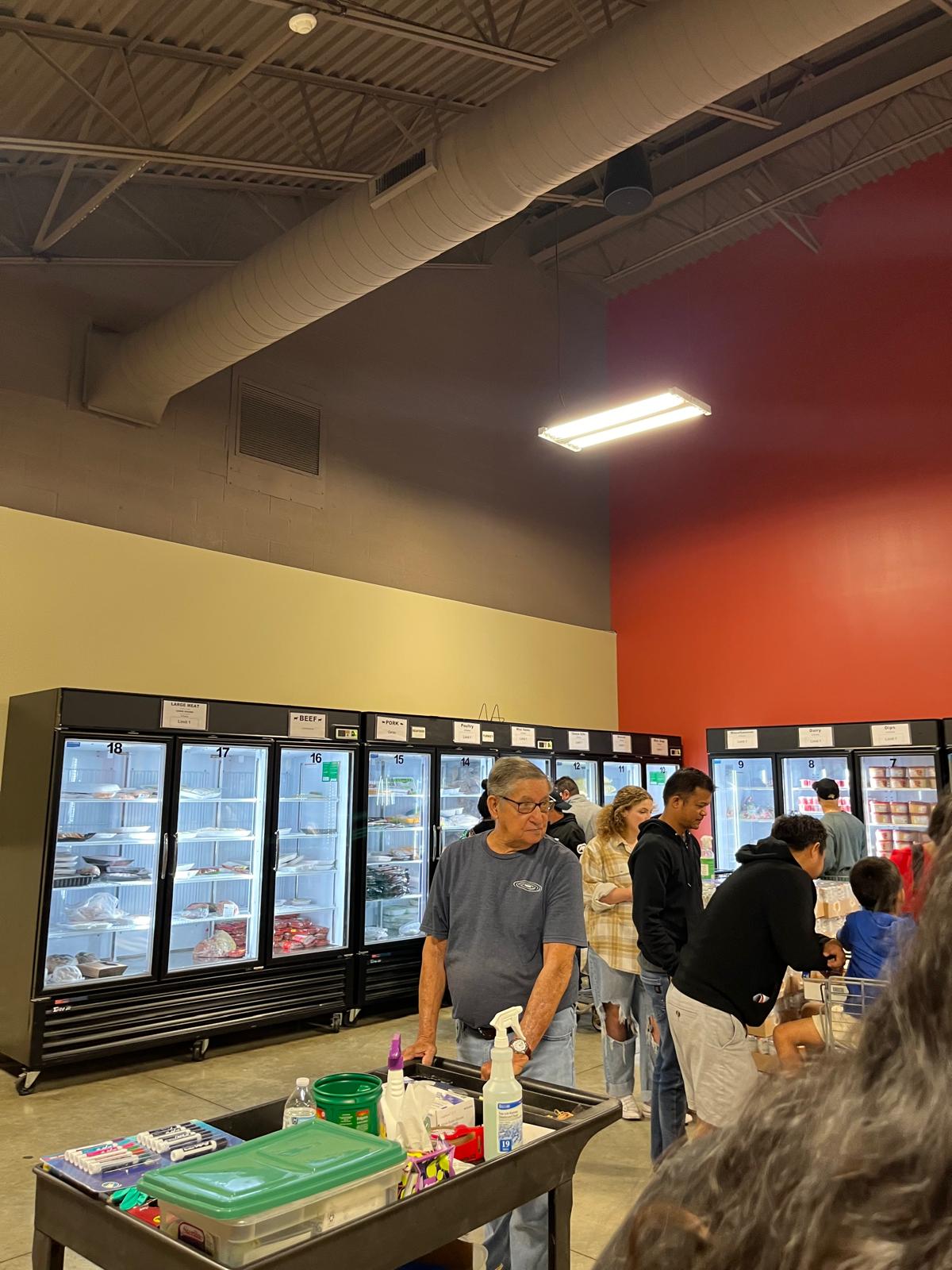
The real dysfunction was happening inside: donations piling up unsorted, volunteers wandering around trying to figure out where things were, coordinators answering the same questions on repeat. The road wasn't the bottleneck. The pantry was.
0
inventory tracking systems in place when we arrived
1
person carrying the operational knowledge of the entire facility
5
stakeholder groups spanning TMF, the church, volunteers, clients, & administrators
02 RESEARCH & INSIGHT
Four methods. Four insights.
Each one changed the direction.
01
Contextual Inquiry & Participatory Shadowing on the Floor
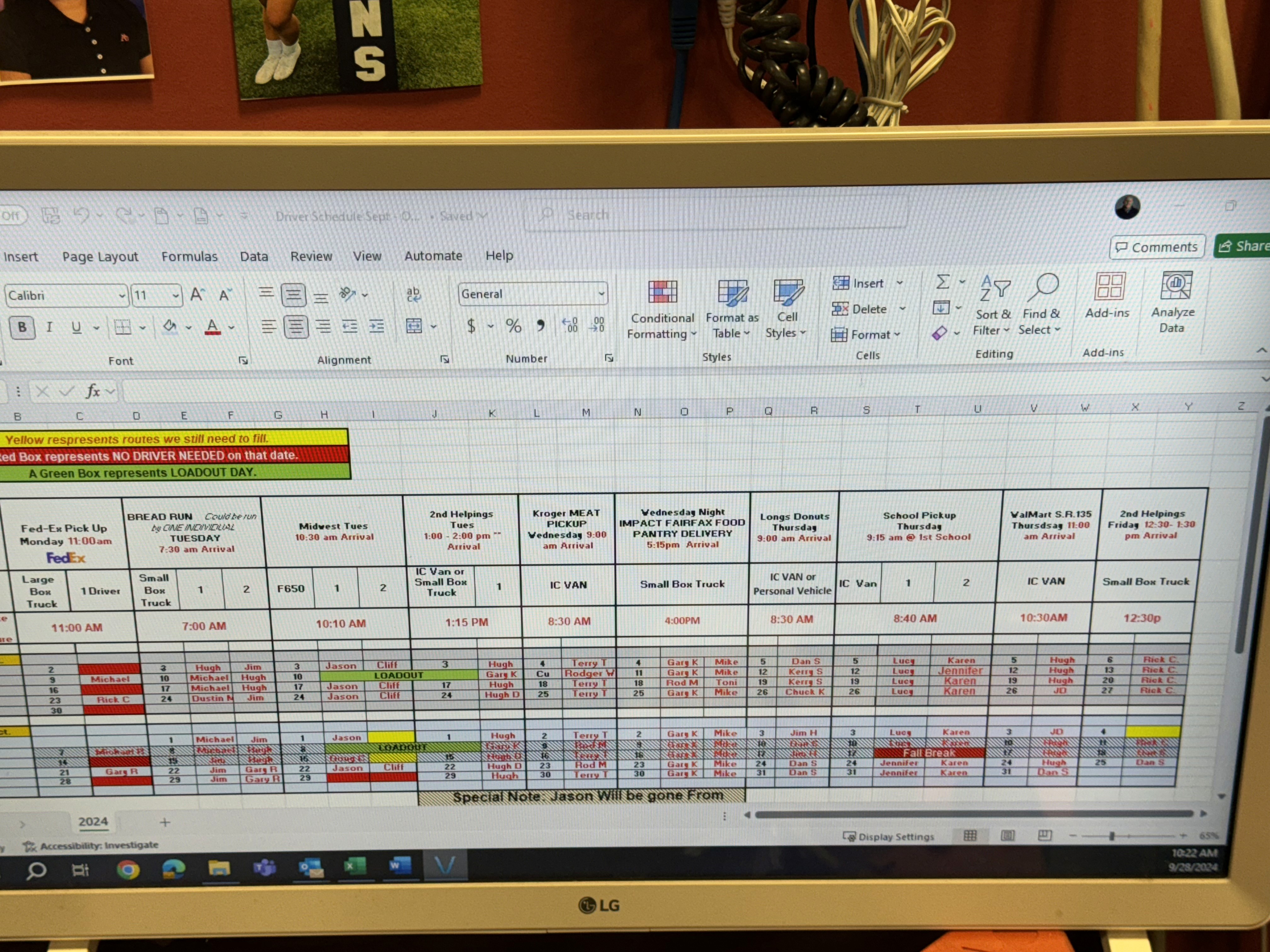
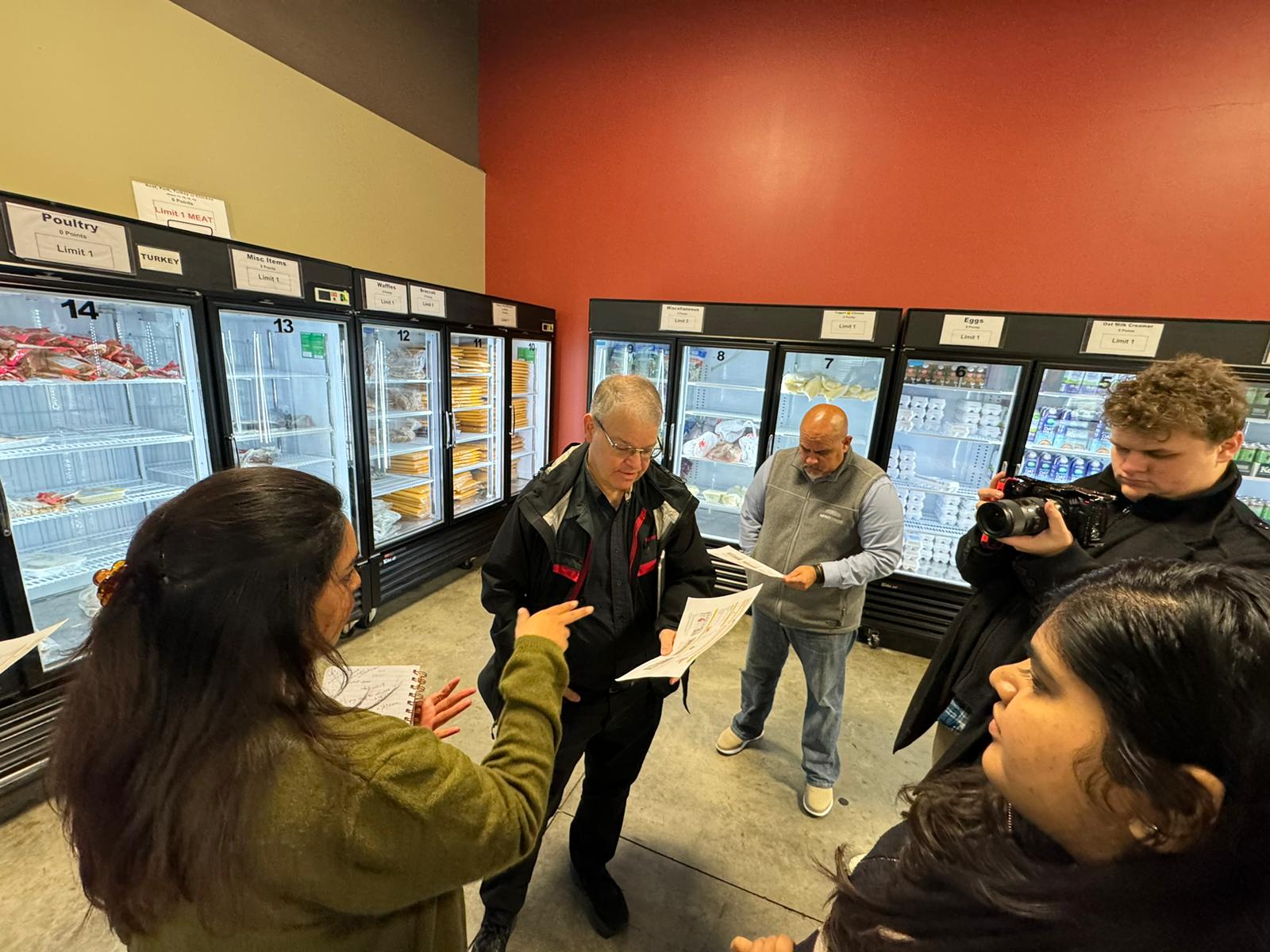
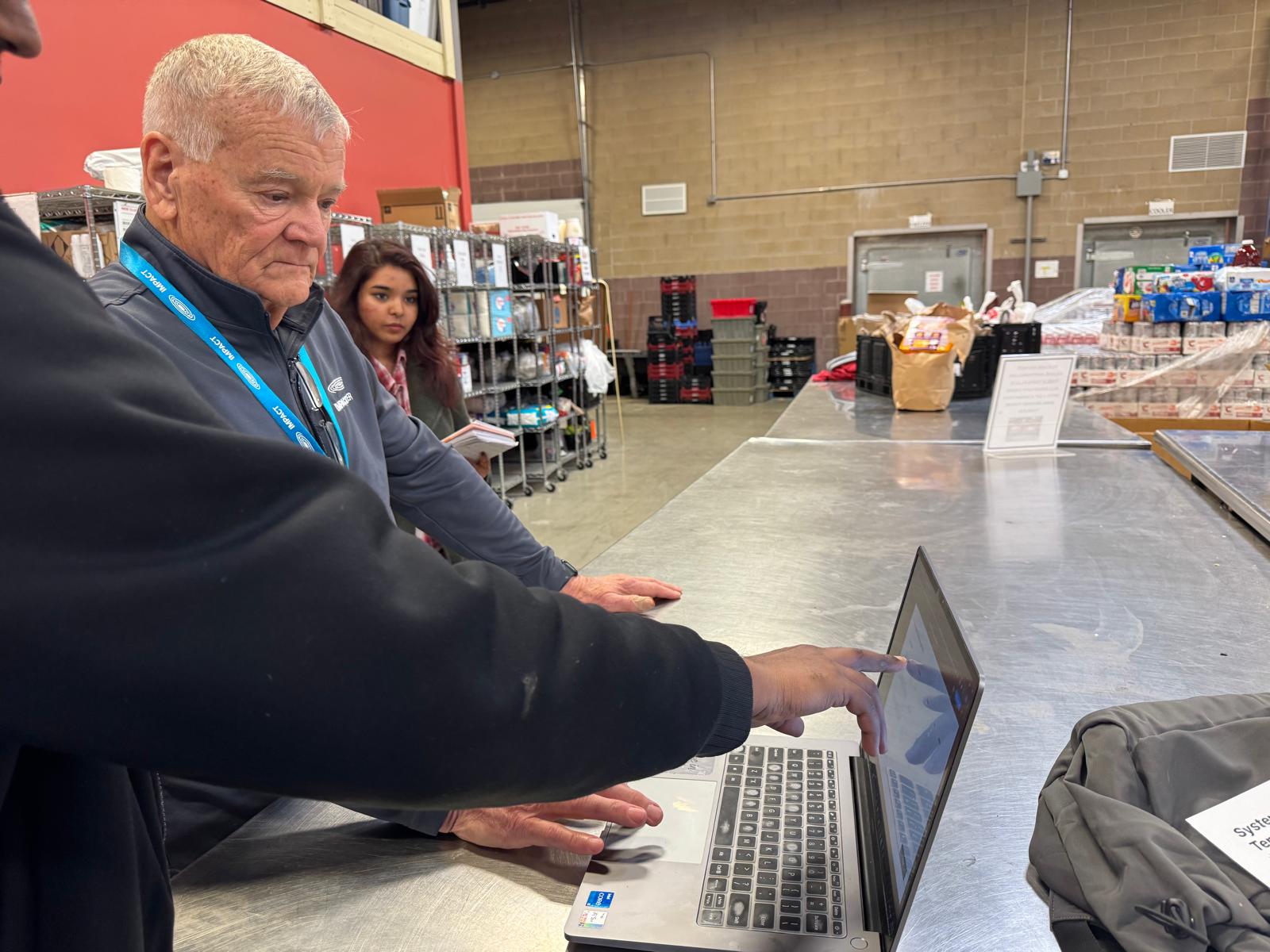
We spent time at the center before we designed anything, observing shifts, watching how volunteers moved through the warehouse, tracking where people got stuck.
What we kept seeing: people walking around trying to figure out where things were or what to do next. Nothing written down. Tasks passed verbally. And almost everything routing through one person.
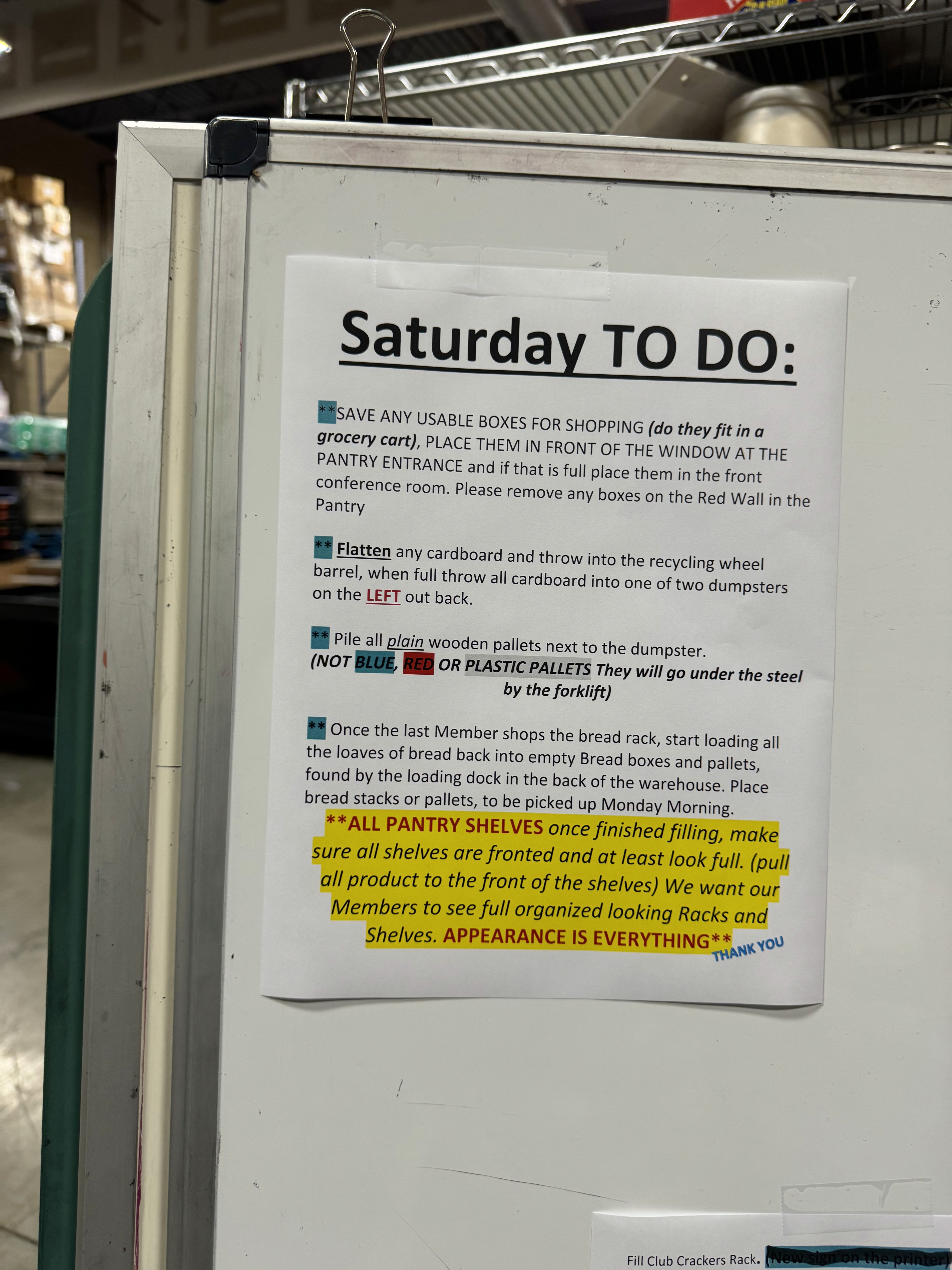
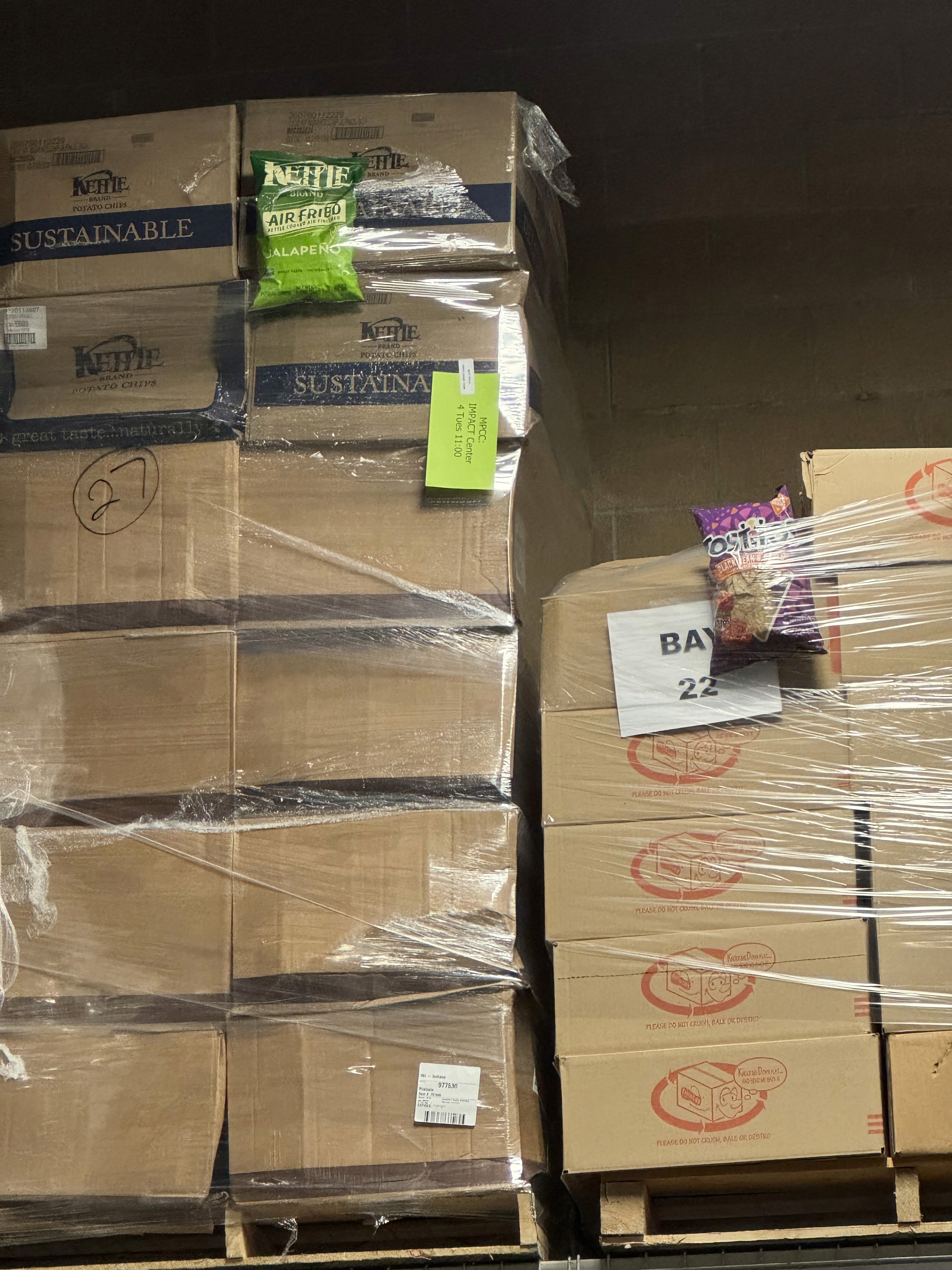
Insight: The system wasn't broken. It was absent.
02
Stakeholder Interview
We interviewed Jason Bratina, the Warehouse Coordinator. He confirmed what we'd observed: things moved constantly, donations came in mixed and unsorted, there was no reliable way to track anything manually.
He knew where everything was. He knew what needed restocking. He knew the workflow. If Jason was there, things worked. If he wasn't, they didn't.
Jason wasn't just managing the system, he was the system.
78%
of volunteers struggled to find items
Even long-term volunteers. Not a people problem, a structure problem.
50%
regularly needed Jason's help
Half the volunteer force is routed through one person every shift.
3-4x
task clarifications per hour
Observed during contextual inquiry, not an edge case, just a regular afternoon.
70%
of donations arrived unsorted
Every shift began with reorganization before any real work could start.
Insight: One person's absence would collapse the whole operation.
03
Volunteer Survey — The QR Code Moment
We sent a volunteer survey via QR code. Several volunteers weren't sure how to open it. Some didn't know what a QR code was.
That moment reframed the entire design brief. It wasn't enough to build something "user-friendly", it had to feel intuitive to someone for whom digital tools aren't second nature. No training. No manual. No asking Jason.
The Design North Star — Meet Patricia
Patricia - 67, retired, volunteers every week. She shows up ready to help. She needs the system to meet her, not the other way around. Every design decision from this point went through one test: would Patricia understand this without help?
Insight: Tech literacy is a constraint. Design for the least comfortable user.
04
Competitive Analysis — The Market Built for the Wrong User
We analyzed SmartChoice, PantrySoft, PlanStreet, and three other tools. All had genuinely useful features like real-time inventory, barcode scanning, spoilage alerts, reporting dashboards.
But every single one was designed for organizations with IT departments, dedicated onboarding budgets, and technical staff. The IMPACT Center has none of those. The market had built for the funded end of the spectrum and left grassroots operations behind entirely.
Insight: The gap isn't features. It's appropriate complexity for under-resourced orgs.
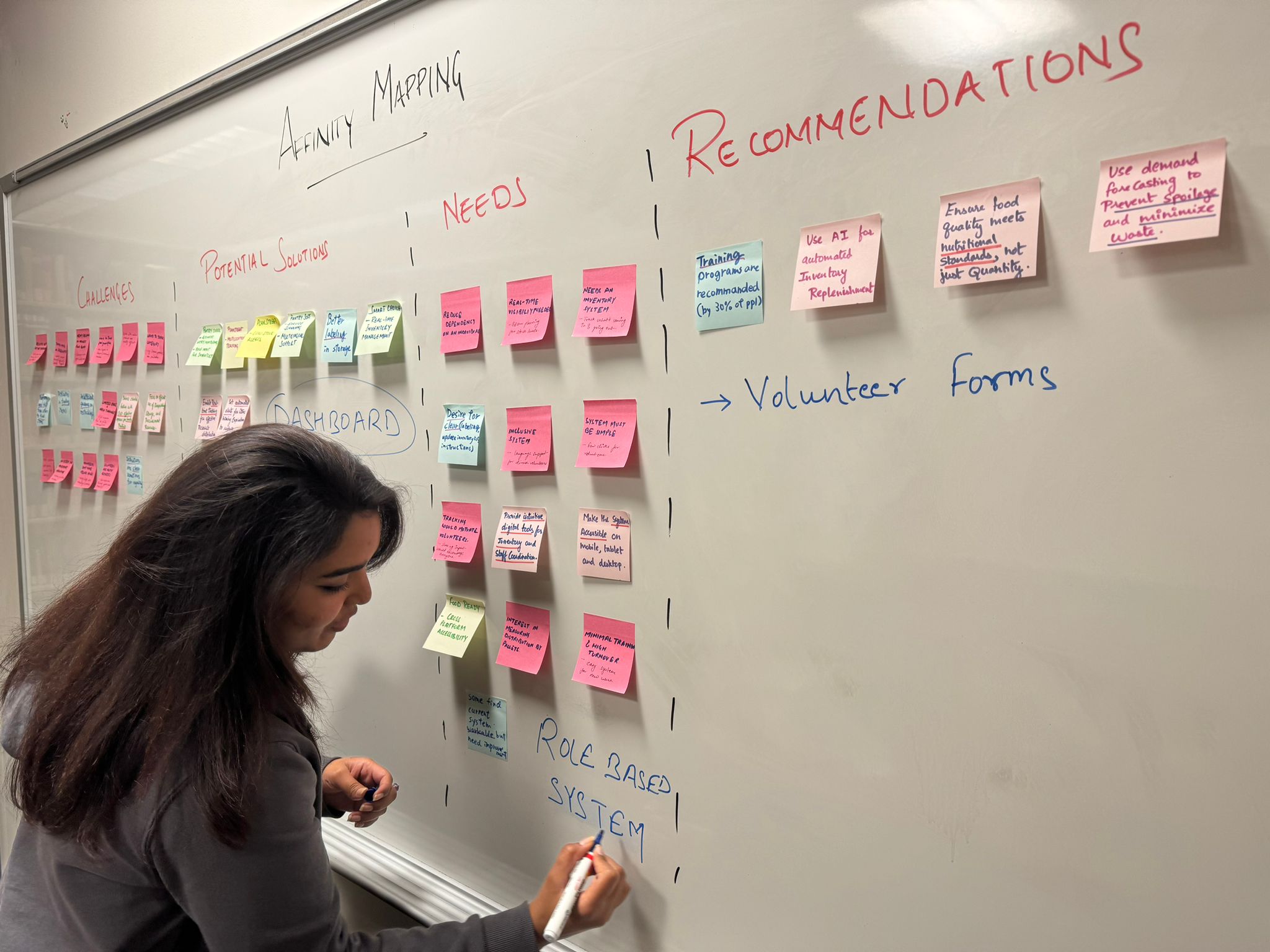
Research Synthesis Through Affinity Mapping
Add enough structure to free every volunteer from depending on Jason, without adding so much complexity that Patricia can't use it confidently. Structure without complexity. That phrase became the design brief, the evaluation criterion, and the lens through which every decision was made.
03 DESIGN HYPOTHESIS
Fix the shelves first.
Then build the screen.
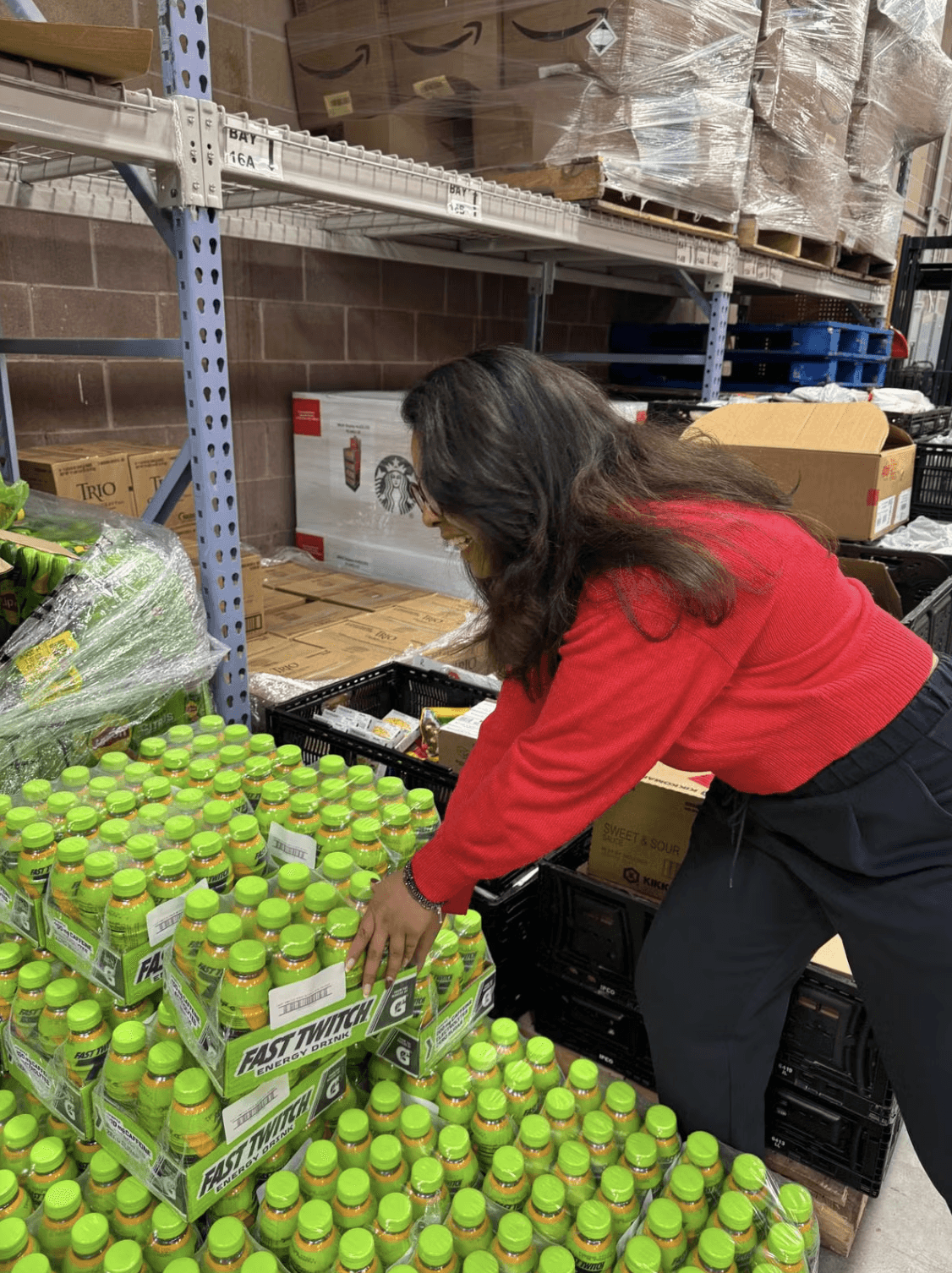
Before any wireframing, we proposed something unexpected but necessary: a physical pantry reorganization. Color-coded categories. Clear labeling on boxes and shelves. Spatial logic that anyone could follow without an app, a login, or a tutorial.
The hypothesis: if the physical space carries the structure, the digital layer only needs to encode it, not invent it from scratch. We ran a timed test to validate this before committing to either layer.
14:12
Time taken to locate 11 items across the existing warehouse
Original Layout
04:08
same task, two reorganized shelves, no digital tool
Restructured Category
70%
Reduced search time
Physical Pantry Reorganization
A 70% reduction, before a single screen was designed. The hypothesis held. The structural problem was solvable. What the digital system needed to do was make that structure persistent, trackable, and teachable, replacing the knowledge that had only ever lived in Jason's head.
04 DESIGN ITERATIONS
Every iteration was driven by
something we found in research.
01
Driven by Jason's mental model
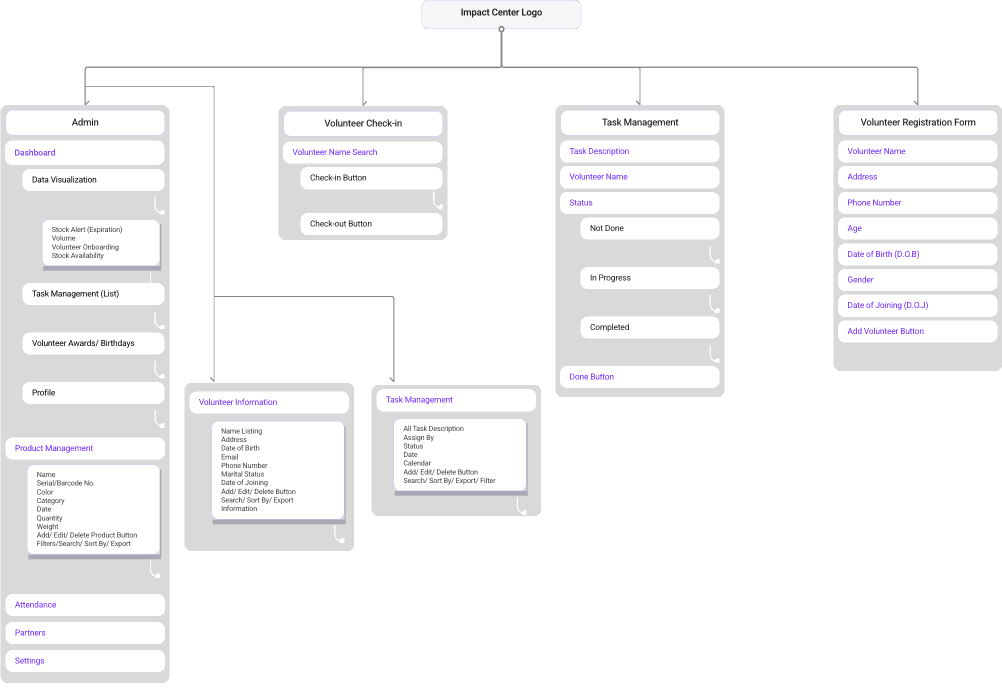
Information Architecture
We built the IA around how Jason actually thought about the work, not how we assumed it should be organized. Three primary flows: inventory management, volunteer check-in and task assignment, and admin reporting. The structure had to mirror the real sequence of a pantry shift.
02
Driven by co-designing with Jason's team
Paper Prototype & Card Sorting
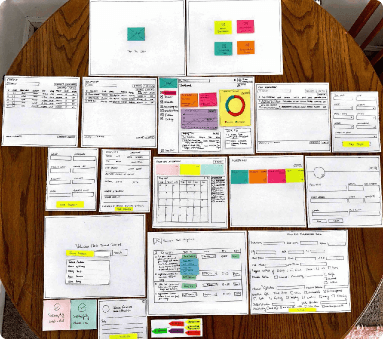
Before going digital, we returned on-site for a card sorting session, co-creating the inventory category structure with Jason and his team rather than presenting our assumptions.
Two things changed immediately: "date received" replaced expiration dates as the primary tracking field, because that's how donations actually arrive. And every time we added complexity, eyes glazed over.
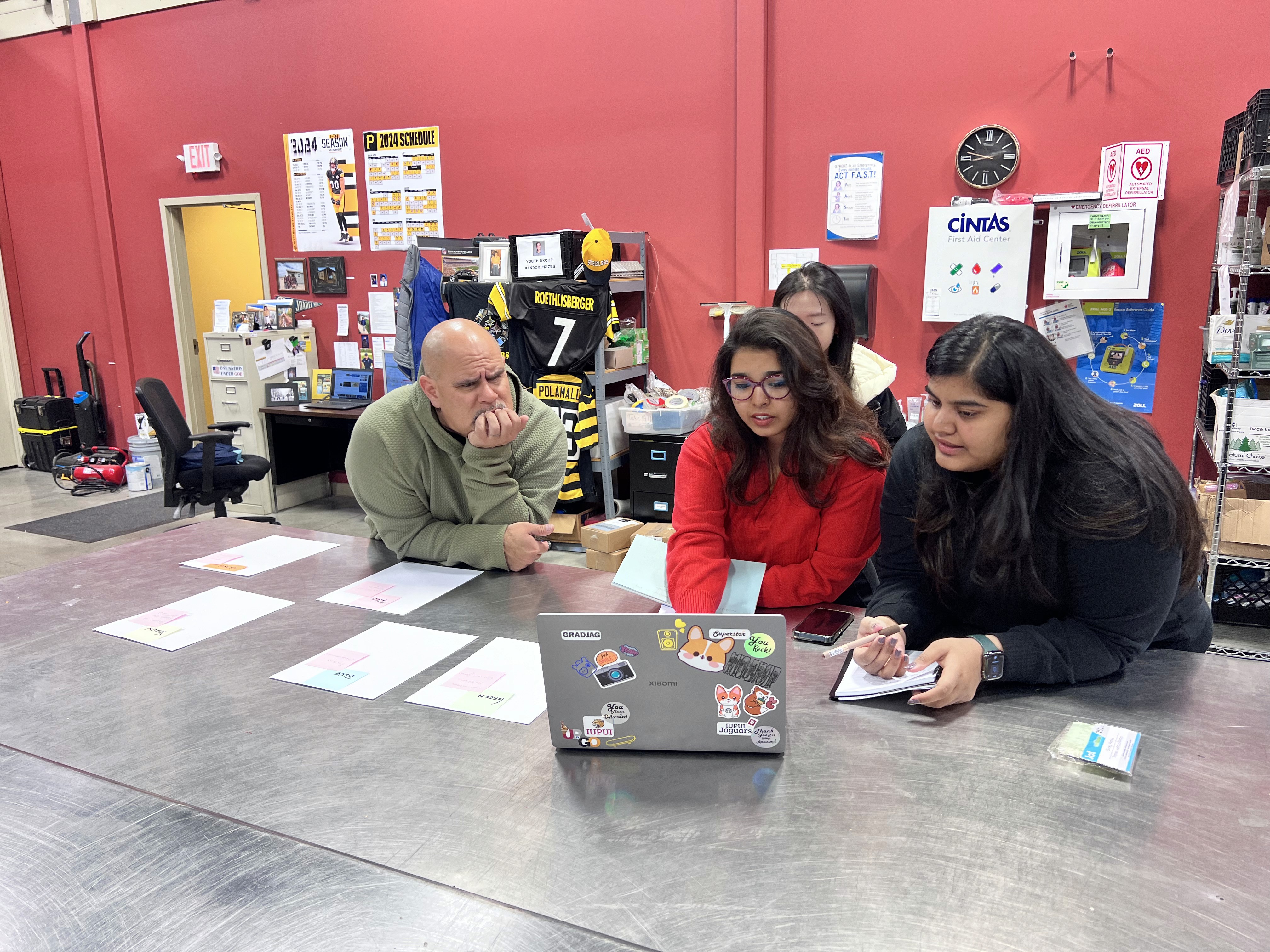
We also reviewed our framing with Jamie Bonini, President of the Toyota Supplier Support Center, whose TPS background pushed us toward measurable outcomes and confirmed what Jason had been telling us: simplicity wasn't a feature, it was the whole point.
03
Driven by Patricia's constraints & cognitive wlkthrough
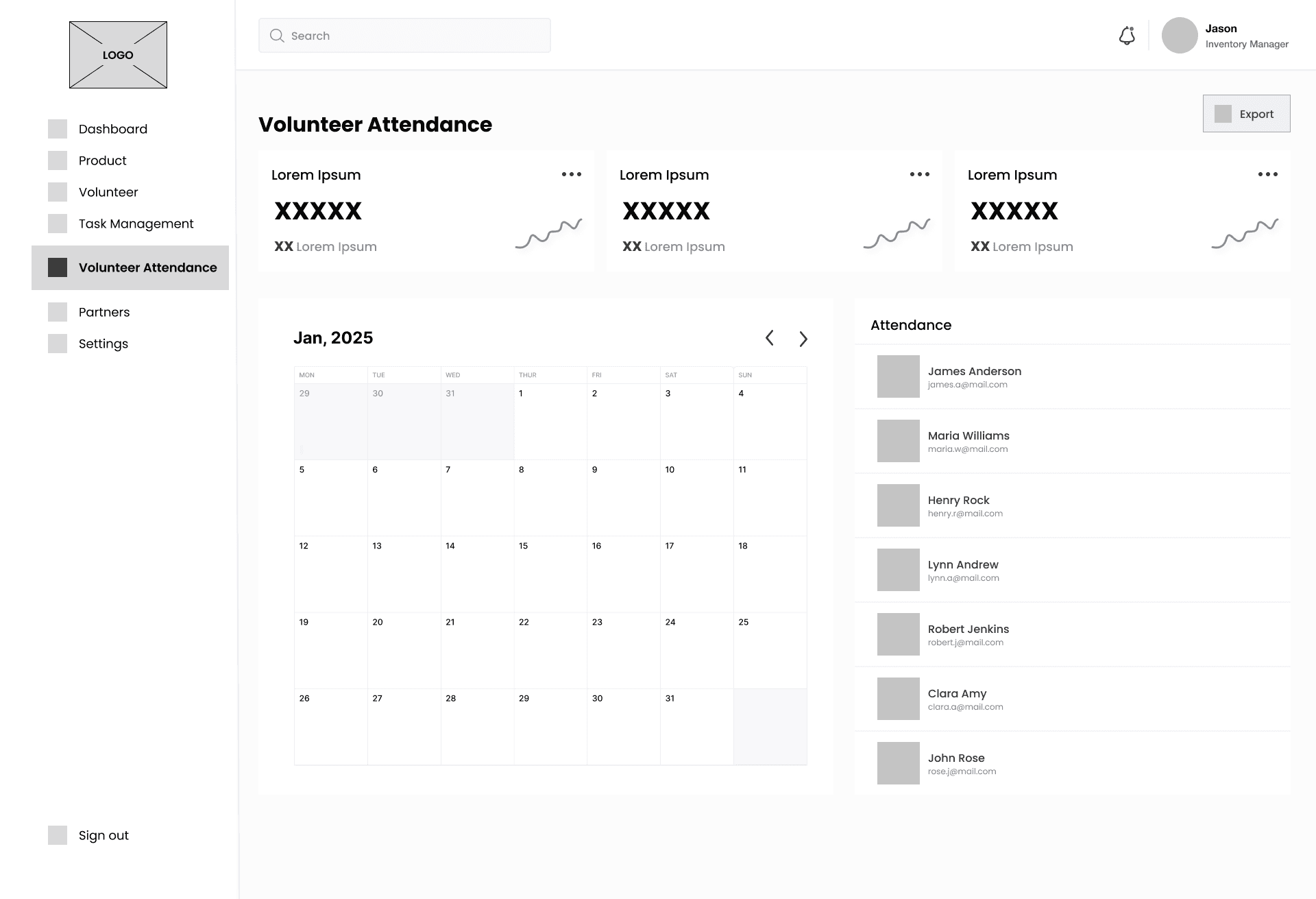
Low-Fidelity Wireframes
Internal cognitive walkthrough with three team members before any external testing. The Patricia lens was applied to every single state — every form field, every button label, every empty state and error message.
Three specific issues surfaced: dropdown menus added unnecessary decision load, the registration flow was too long as a single form, and success confirmations were absent — so volunteers couldn't tell if their action had actually worked.
04
Driven by think aloud testing with volunteers
High-Fidelity Prototypes & Usability Testing
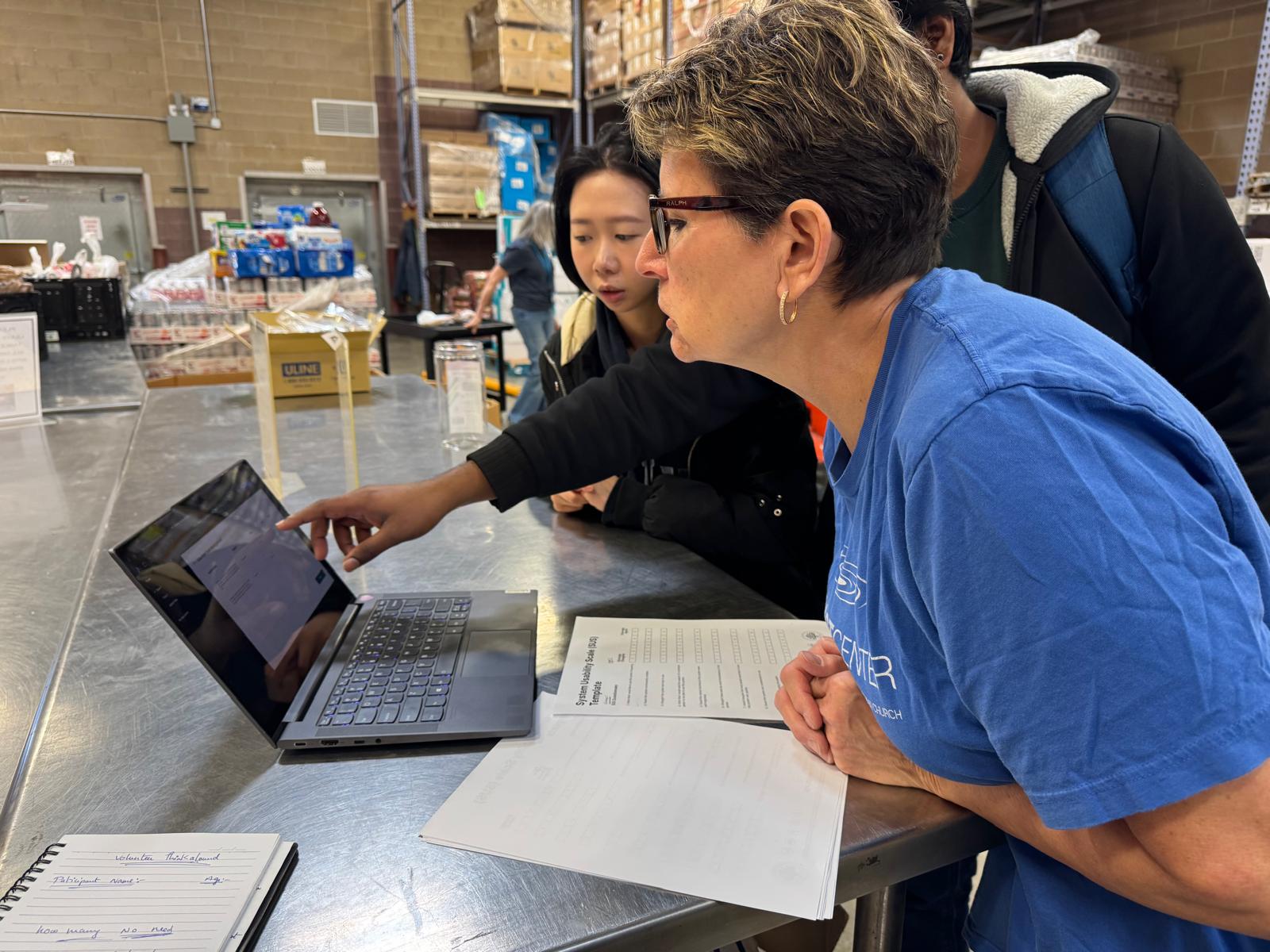
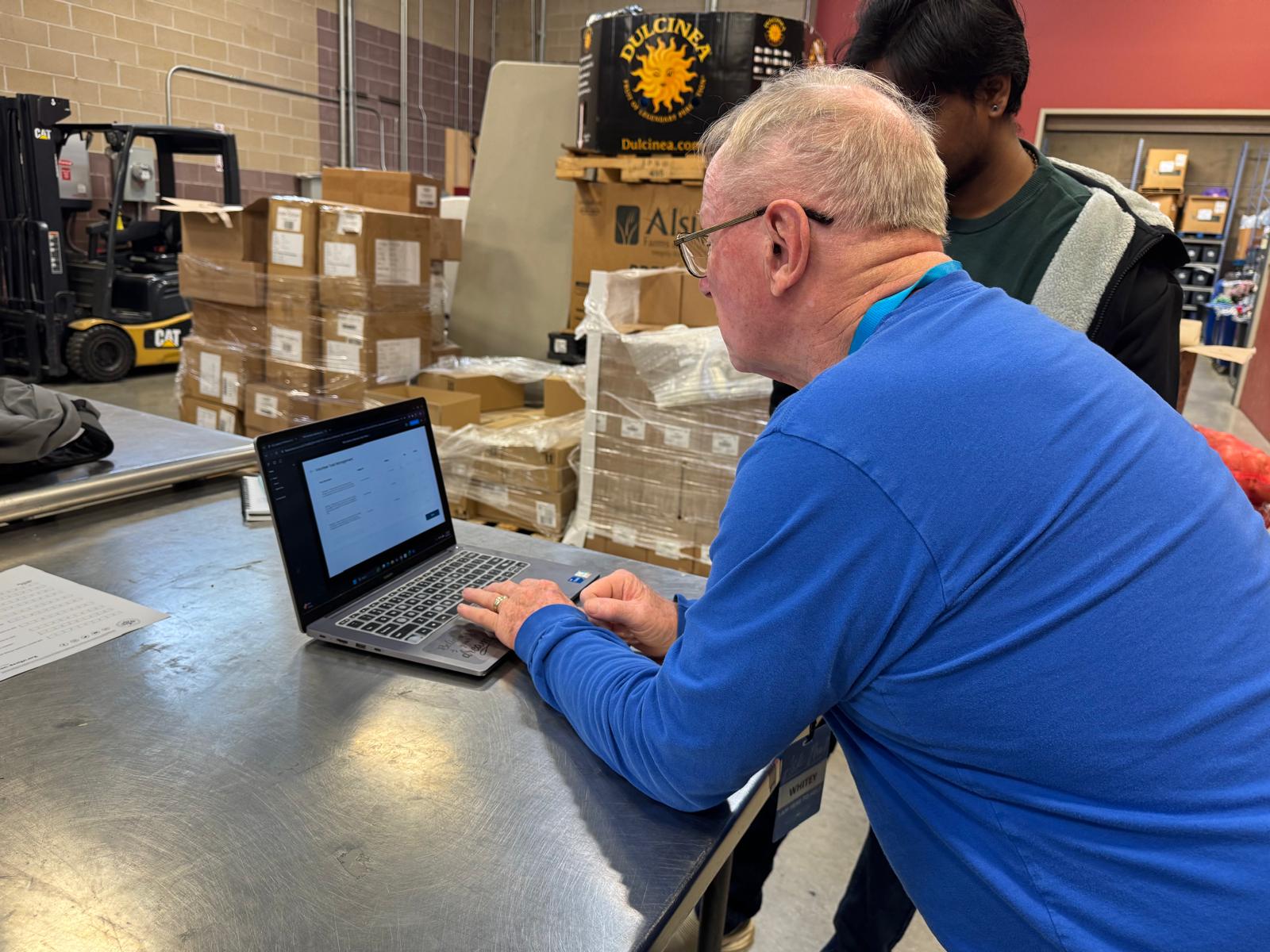
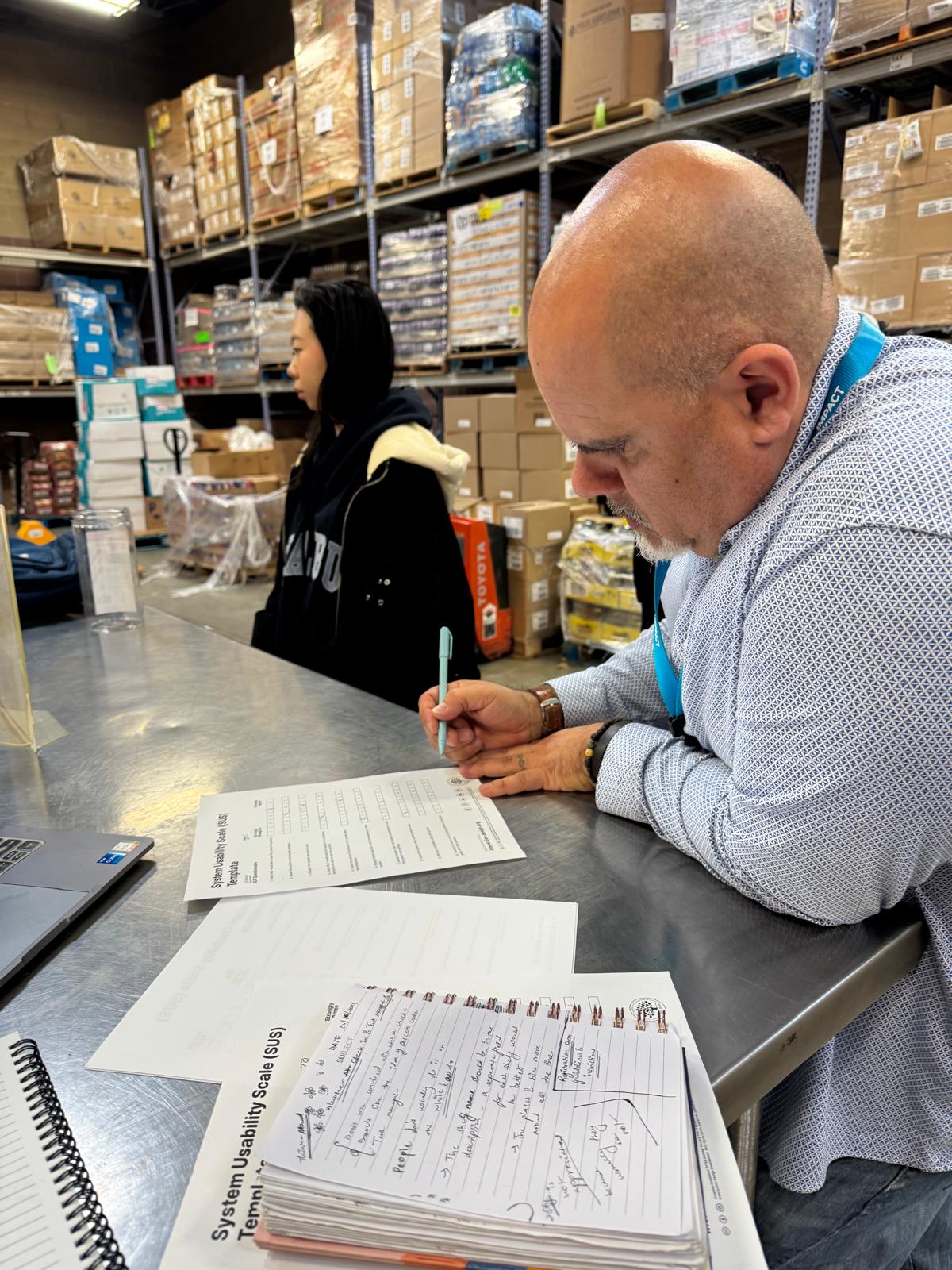
Think-aloud protocol with 4 real participants: volunteers and staff at the center. Color-coded categories landed as immediately intuitive. Navigation described as "clear, smooth, and efficient."
But testing also surfaced exactly what to fix: multi-volunteer task assignments weren't possible, the onboarding form felt overwhelming, and accessibility contrast needed improvement for older users.
SUS score: 7.1 - "Good." Measured across all participants after task completion.
Refinements After Usability Testing
Dropdowns → toggles and autocomplete fields
Single form → 3-step registration with progress bar
Added Accessibility Mode with higher contrast and larger tap targets
Enabled multi-volunteer task assignment
Added confirmation messages to every action so volunteers always know something worked
05 FINAL SOLUTION
Three flows. Every decision
traceable back to research.
The final system is a web-based platform accessible via tablet and kiosk. Three core flows, each one a direct response to a research finding. The refinements made after usability testing are shown below each screen.
01
Admin Dashboard
Encoding Jason's knowledge into one visible view
Research connection: The dashboard was designed around Jason's interview, specifically the need to see inventory levels, volunteer activity, and pending tasks at a glance. Everything he held in memory now lives in one screen. The donut chart for food availability and the "pending tasks" panel directly encode what Jason tracked manually every shift.
02
Volunteer Registration
Meeting Patricia at the door, not the help desk
Research connection: The single long form from lo-fi testing was broken into three labeled segments with a progress bar, a direct fix from the usability testing finding that the form felt overwhelming. Step labels ("Personal Info → Dropoff Info → Skills & Availability") give Patricia a sense of exactly how much is left.
03
Volunteer Task Management
Replacing verbal handoffs with visible, self-serve clarity
Research connection: 3–4 task clarifications per hour observed during contextual inquiry. The task view was designed so that every task has a clear description, an assigned volunteer, and a visible status, eliminating the need to ask Jason what to do next. Multi-volunteer assignment (added post-testing) means no task is stranded when someone doesn't show.
06 IMPACT
The man who was the system
endorsed the thing that freed it.
70%
Faster Item Retrieval
Search time dropped from 14:12 to 4:08, measured on the same 11-item task before and after physical reorganization.
53%
Coordination Efficiency
Volunteer task coordination improved significantly, reducing the ad-hoc verbal handoffs that created confusion every shift.
7.1
SUS Score - Good
Rated by 6 real participants including staff and volunteers. Color coding and clear on-screen guidance cited as the biggest contributors.
"This system would greatly benefit us especially in organizing volunteers, tasks, and helping volunteers locate products in our warehouse.
The team have seen all aspects of our process and have completely incorporated that into a system that I feel could genuinely help how things are done around our facility."
— Jason Bratina, Warehouse & Inventory Coordinator, IMPACT Center
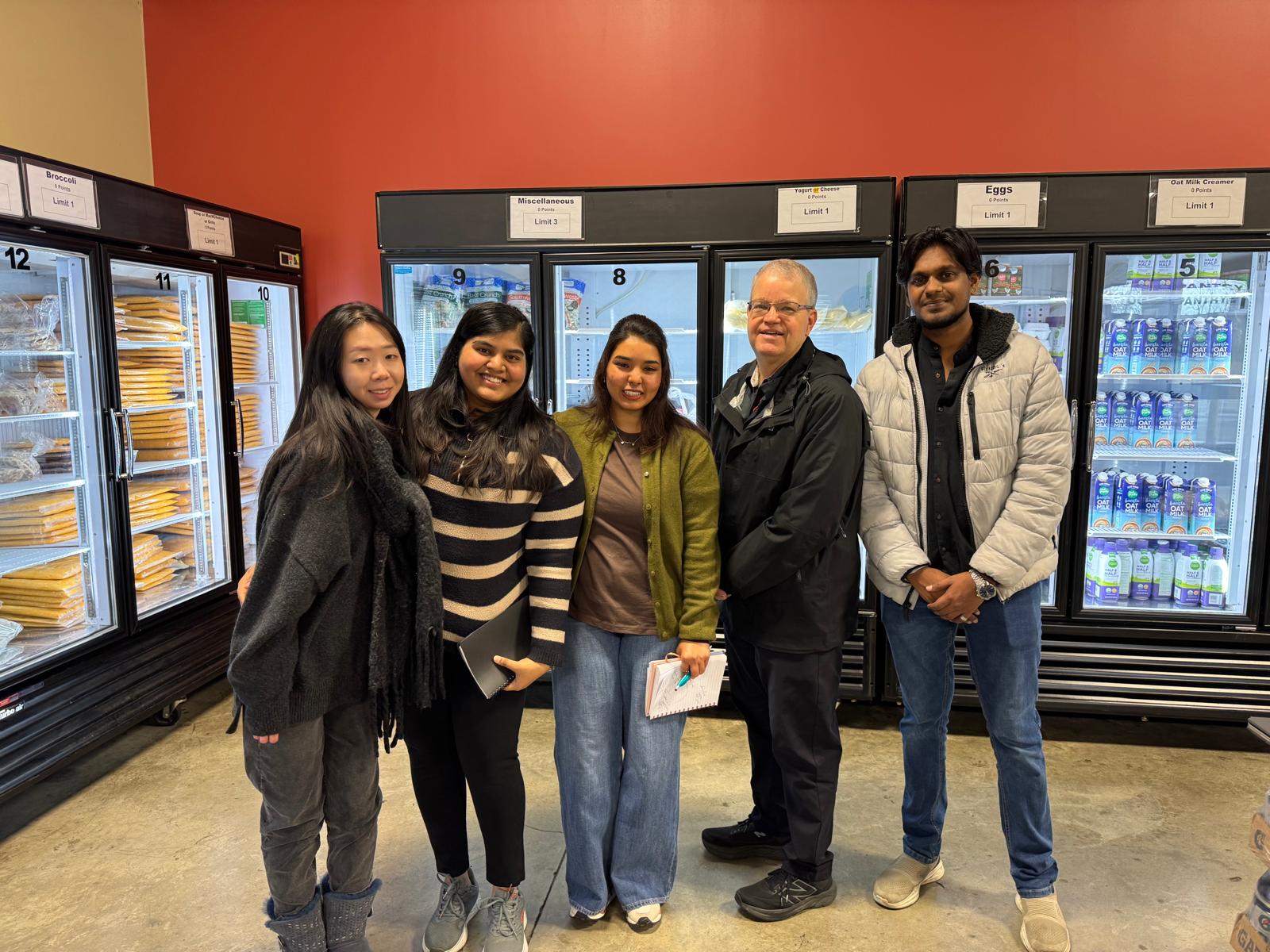
That quote is the full circle. Jason was the system, carrying knowledge that should have been shared, absorbing questions that should have had visible answers. We didn't try to replace him. We tried to make everything he knew findable, teachable, and persistent. And he recognized it.
07 REFLECTION
What this project taught me.
Physical and digital are one system
The 70% improvement came from reorganizing two shelves, before a single screen was designed. Good systems thinking extends beyond the interface into the physical environment where the interface will live.
Design for the person who scares you most
Patricia - 67, unfamiliar with QR codes - was our most valuable constraint. Every time we pushed toward clever, she pulled us back toward clear. That pressure made every decision better.
Research earns the right to make decisions
Every design decision in this project had a source. That traceability, from finding to choice to outcome, is what made the work defensible in stakeholder conversations and credible in testing.
Co-design is not a method. It's a disposition.
Returning to do card sorting with Jason changed the design. The best insights came from watching someone handle our ideas with their hands, not just their words.